
We all know that gaming isn’t just about high scores or rare loot drops; it’s about connection. At some point, each of us has longed for a place to strategize before the big match, celebrate victories afterward, or simply hang out and talk games. That’s where Discord shines. If you’ve ever wished for a cozy corner on the internet where your friends (or your entire guild) can gather, you’re in the right place! This guide is for anyone wondering how to set up a gaming Discord server and manage it, whether you’re building a space for close friends or the next big gaming community.
- Originally made for gamers, it now supports communities of all kinds.
How to Set Up a Gaming Discord Server and Manage It
Let’s walk through the whole process together, and don’t worry, we’ll make it easy and enjoyable, just like learning a new co-op game with a friend’s help.
1. Introduction: Why Set Up a Gaming Discord Server?
Back when our group of friends first struggled to keep up with group chats, voice calls, patch notes, and organizing a raid in Destiny 2, we wished for something simpler. Discord answered that wish. No other platform offers such accessible audio, text, video, and community features for gamers. With Discord, you’re not piecing together five apps; you’re just logging in.
Bringing gamers together, hosting events, or simply sharing memes, it all becomes easier on Discord. Whether you’re part of a competitive team, casual group, or game-specific fan club, setting up a gaming Discord server turns chaos into comfort.
2. Planning Your Server: Goals and Community Focus
To set up a gaming Discord server, before you hit “create server,” it’s good to map out what you truly want. Is this server for your Overwatch 2 ranked squad? A place to host Among Us sessions on the weekends? Or a cozy hub for Minecraft builders? Jotting down the games and the kind of community you want, from ultra-casual to hardcore competitive, helps guide every step.
We found it helpful to sketch our dream server on a piece of paper. Who’s invited? Is there a code of conduct? Setting these intentions up front helps keep things positive and purposeful down the road.
- Choose a professional server name and upload a clean, relevant server icon.
3. Step 1: Creating Your Discord Server
When it’s time to actually create a gaming Discord server, the process is refreshingly smooth. Click that plus sign on the left bar in Discord, select “Create My Own,” and give your server a name. For some of us, picking the right server icon was half the fun (our Apex Legends squad icon was a running inside joke).
To set up a gaming Discord server, remember to choose the right server region for best connectivity, and check your default notification settings so new members aren’t startled by endless pings.
4. Step 2: Essential Channels and Categories for Gamers
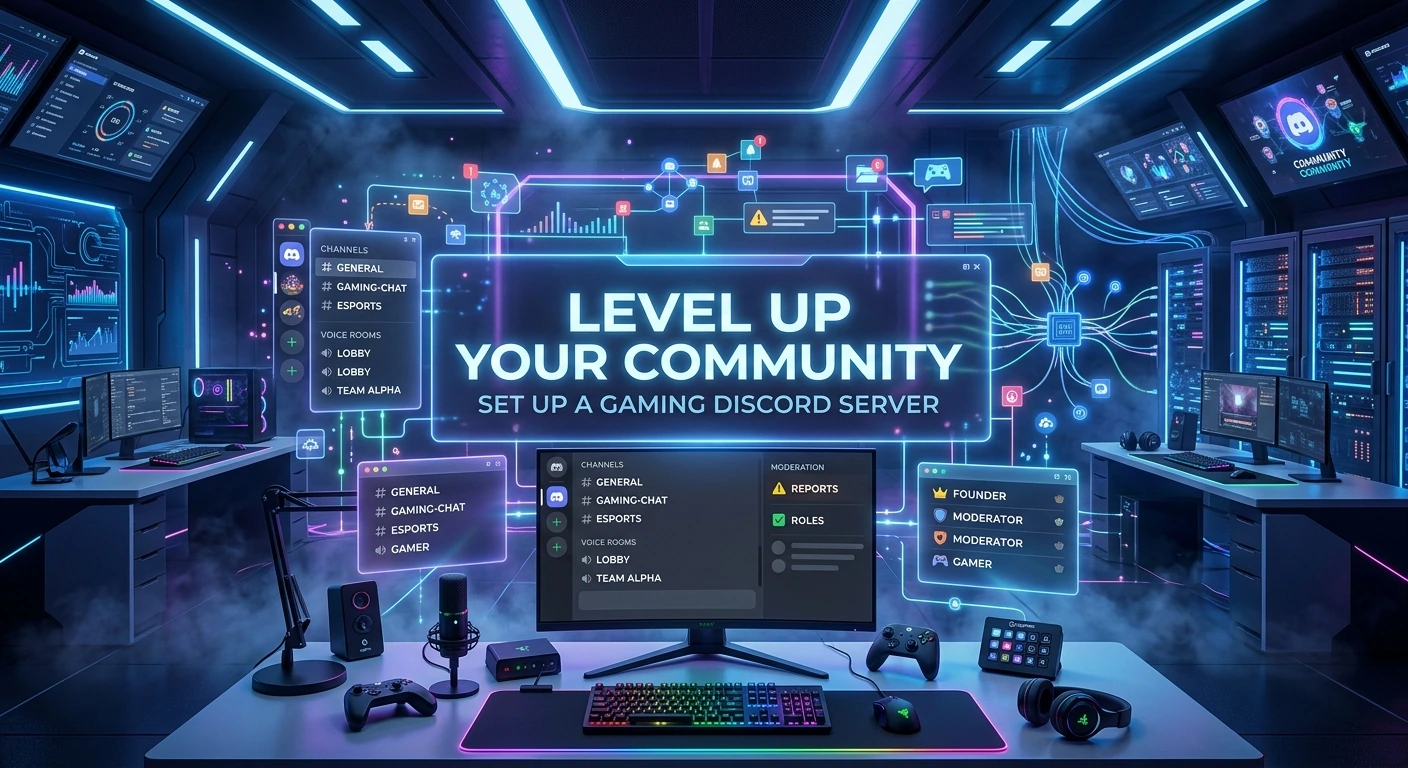
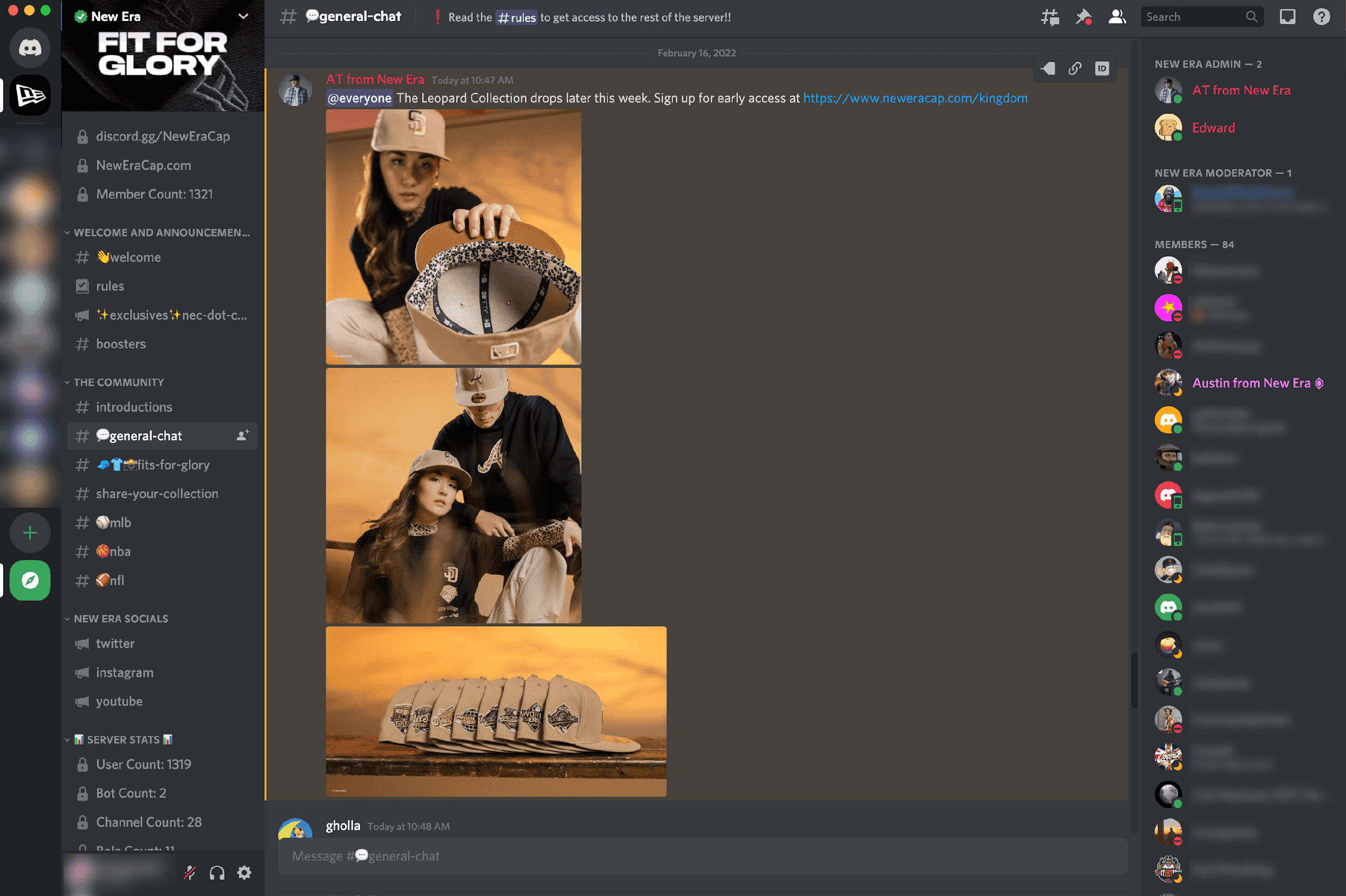
A cluttered server is no fun, so channels are your path to order. We love organizing by category, like “FPS Games,” “MMOs,” or “General.” Here are some essentials we always include:
- Announcements (for everything from patch notes to game nights)
- General Chat (where banter and memes flow)
- Game-specific Rooms (e.g., #valorant-strats, #smash-bros-tourney)
- Group Finder (LFG) for spontaneous team-ups
- Media/Fan Content sharing (screenshots, fan art, epic clips)
- Voice/Video Hangouts for late-night sessions
- Support or Help Desk in case anyone needs a hand
It’s surprising how quickly these channels become second nature, like loading into your favorite game lobby.
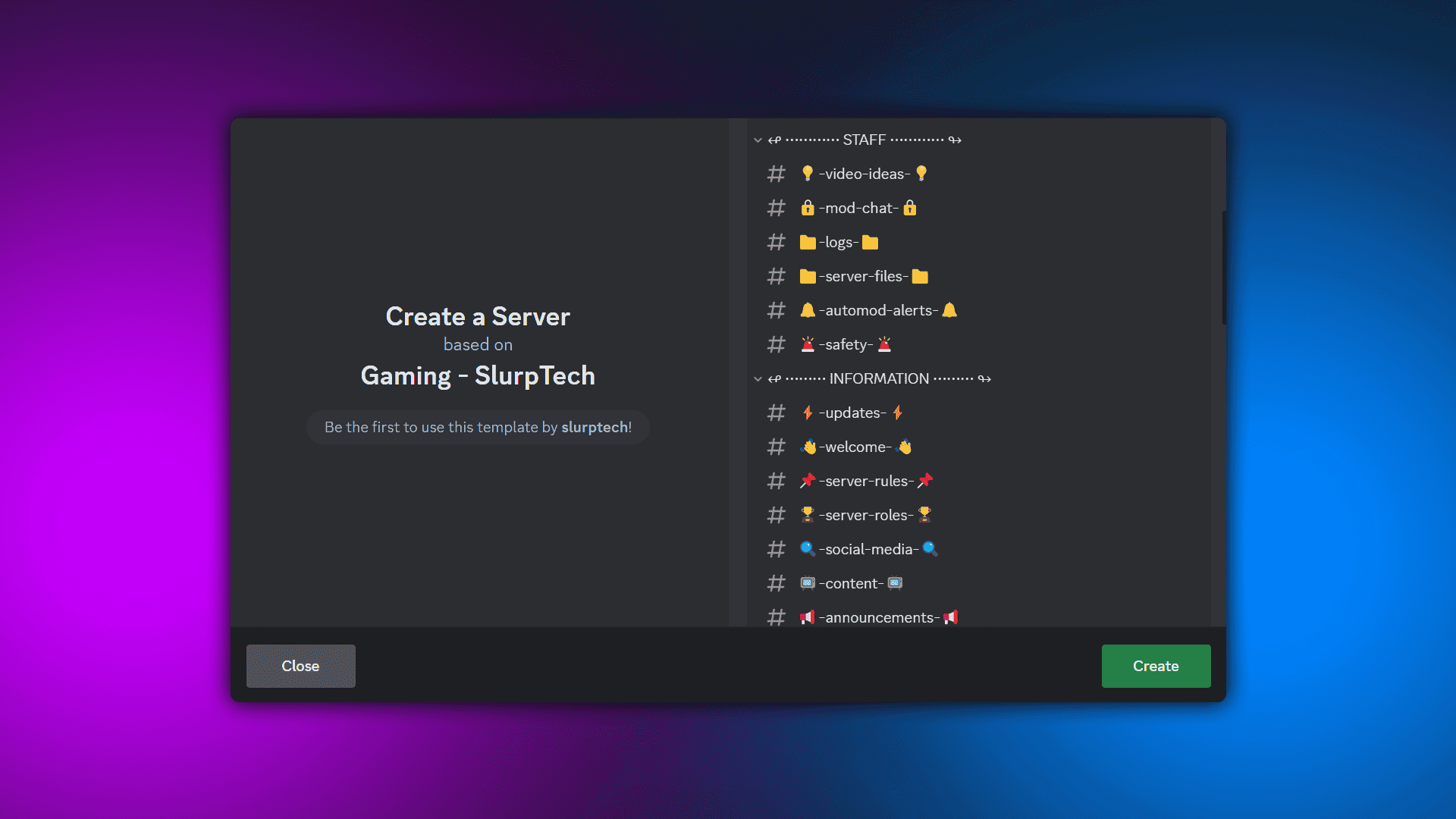
- Create separate voice channels for squads, duos, and general hangouts.
5. Step 3: Setting Up Roles and Permissions
If channels are the rooms in your digital house, roles are the keys. To set up a gaming Discord server, early on, we learned to make clear roles: Admins (big bosses), Mods (trusted helpers), Members, and special ones like “Streamer” or “Event Host.” Don’t forget fun roles; something colorful or quirky for top contributors is always a hit.
Be sure to set permissions so your announcement channel stays tidy and the memes don’t take over the rules section. Customizing colors or emoji tags for roles can add that extra bit of personality and incentive.
6. Step 4: Essential Bots and Tools for Gaming Discords
No gaming Discord server is complete without a couple of trusty bots. We swear by MEE6 for basic moderation, welcoming new faces, and ranking members. Dyno is great for spam control and scheduled posts. We’ve always appreciated bots like Tourney Bot for tournaments and Stat Tracking Bots for games like League of Legends or CS2.
For extra fun, music bots, poll bots, or custom trivia bots keep members chatting and laughing even when nobody is online to game.
7. Customizing Your Server: Branding and Member Experience
Think of your server’s look and feel like picking your favorite gaming skin. Custom banners, unique emojis (your mascot dabbing, anyone?), and warm welcome messages all help new recruits feel like they’ve found a home. Use interactive channels; a “clip of the week” contest or fun commands like !roll, for moments of delight.
To set up a gaming Discord server, your rules should be clear, friendly, and human: “Don’t be a jerk” goes a lot further with a smiley than a wall of legalese.

- Voice channels allow real-time conversations without needing to call.
8. Launching and Growing Your Server
Nothing gets a server going like a grand opening. Share your invite in group chats, on gaming subreddits, or even in-game lobbies. When we launched our Rocket League community, a “Day One Tournament” brought everyone together.
Partnering with other Discord communities or game clubs can bring new faces; even shout-outs on Twitter or Reddit help boost your launch.
9. Best Practices for Managing and Moderating a Gaming Discord
The best-run servers we’ve joined have one thing in common: active, caring mods. Having rules is key, but someone proactive (and friendly) enforcing them is magic. When trolls creep in or topics get heated, having auto-moderation (filtering slurs, spam) and a cool-headed team helps.
Regular check-ins, like asking the server what features they want, keep things fresh and make members feel truly invested.
10. Keeping Members Engaged and Building Community Culture
To set up a gaming Discord server, remember that an unforgettable server is more than just a chat room; it’s a place where stories and memories happen. Organize weekly game nights or drop-in sessions for Jackbox Games. Contest ideas like “screenshot of the week” or trivia nights create traditions.
We found a feedback channel invaluable. When a member suggested a “Book Club for Game Lore,” it became a surprise hit and made our group feel more creative and connected.
11. Case Studies: Successful Gaming Discord Servers
Some of the biggest communities set the gold standard. The Official Minecraft Discord has over a million members and stands out for its active support team and endless fan content rooms. League of Legends’ Discord runs regular events, streams, and Q&As; proof that great moderation and creative channels make even the busiest servers feel cozy.
Every server is different, but the best ones have a clear purpose, welcoming culture, and a dash of creativity.
- Screen sharing and video calling make it useful for collaboration and streaming.
12. Common Challenges and How to Overcome Them
Let’s face it: not every day is smooth sailing. Growing a server can feel like shouting into the void at first. We learned that regular events, cross-promotion, and positive first impressions (friendly welcomes!) go a long way.
Moderation burnout or conflict happens; delegating tasks, using automation, and keeping an open dialogue with your team helps keep everyone happy. And when inactivity strikes, polling your members for new event ideas often sparks a revival.
From Game Nights to Tournaments: Tournova Supercharges Discord Gaming Communities
Tournova stands out as a powerful companion for anyone who wants to set up a gaming Discord server. More than just a simple tournament bot, Tournova brings automation and organization to the next level by handling tasks like player registration, matchmaking, bracket management, and results reporting; all within Discord’s familiar environment. This means server admins can skip the hassle of manual tracking or external spreadsheets and instead focus on making their community space fun and welcoming. With easy-to-use tools designed for both casual and competitive gamers, Tournova fits seamlessly into a broad spectrum of gaming communities, whether you’re coordinating an evening of casual matches or running a high-stakes competition.
What truly sets Tournova apart is its innovative token economy. As members participate in tournaments or complete gaming challenges, they earn platform tokens, which can be exchanged for access to special events, entry to auctions, or exclusive digital rewards. This playful reward system not only boosts engagement but also gives your gaming Discord a unique sense of progression and achievement beyond just the wins and losses. By combining professional-grade tournament management, customizable features for organizers, and a fun, rewarding player experience, Tournova helps transform ordinary gaming servers into vibrant, active hubs where every member can find new ways to connect, compete, and celebrate.
- Use bots like MEE6, Dyno, or Carl-bot for moderation, logging, and role management.
13. Closing Up: From Setup to a Thriving Gaming Community
Setting up a gaming Discord server isn’t just about toggling settings; it’s about building friendships, sharing excitement, and creating a real digital hangout for like-minded gamers. By planning thoughtfully, organizing channels, balancing fun and safety, and keeping community first, you’ll go from that “new server smell” to a buzzing, close-knit group in no time. So, if you’ve ever dreamed of your own server, don’t wait! Start today, invite your friends, and let’s see your gaming community flourish. If you’re already running one, share your story with us. We’re all in this together, after all. With these tips, you’re well on your way to set up a gaming Discord server; happy gaming, and here’s to building a digital home worth visiting every day!
FAQs
1. What’s the best way to handle server raids or mass spam attacks on a gaming Discord server?
Using bots with anti-raid and verification features, like MEE6 or Wick, can halt new member floods and auto-ban obvious raid accounts. Keep your team ready to lock down channels temporarily if needed.
2. How can I automate welcome and goodbye messages for new members?
Most moderation bots (such as MEE6 or Dyno) let you customize and automate welcome and goodbye messages, including embedded images or rules, so new members feel at home instantly.
3. What should I do if two members have a personal conflict that spills into server chats?
Encourage both to direct message moderators for a private talk. Address the issue fairly and, if needed, offer a cooling-off period or mediation. Keeping drama out of public channels fosters a healthier space for everyone.
4. Are there tools to help me track server growth or active member stats?
Yes! Bots like Statbot and ServerStats keep logs of joins, message traffic, and peak usage times. Reviewing these helps you tailor events and content to your community’s rhythm.
—
Infographics:
“`markdown
# 🎮 How to Set Up & Manage a Gaming Discord Server
—
## 🌟 Why Create a Gaming Discord Server?
– Unites your squad, guild, or fandom in one digital home.
– Voice, text, and video; no more juggling multiple apps!
– Ideal for game nights, memes, and post-match hype.
—
## 🛠️ Steps to Building Your Community
### 1️⃣ Plan Your Purpose
– Decide: Friends only? Game-specific? Open to new faces?
– List your goals: Weekly events, chill sessions, pro play, or creative sharing.
### 2️⃣ Create & Customize
– Hit “+” in Discord, choose your server name/icon (bonus: inside jokes encouraged!).
– Set your server region and notifications for the best experience.
### 3️⃣ Organize with Channels
– Essentials:
– #announcements for news
– #general-chat for daily banter
– Game rooms, LFG (Looking For Group), and media channels
– Voice/video hangouts for real-time play
💬 Pro Tips:
– Launch with an event, like a mini-tournament or custom game night.
– Regular polls, feedback, and creative contests keep the energy alive!